

Important files related to the installation of ADF products are saved in the V4 folder located at the following location C:ProgramDataADF Solutions Incv4. ProgramData is a hidden folder and settings will need to be changed to see the folder.
- Open File Explorer
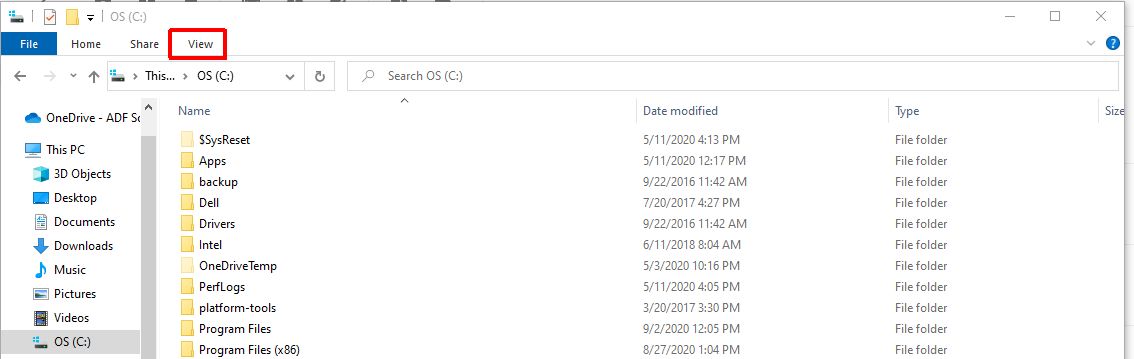
- Along the top of the Window select “View”
- Select “Hidden Items”
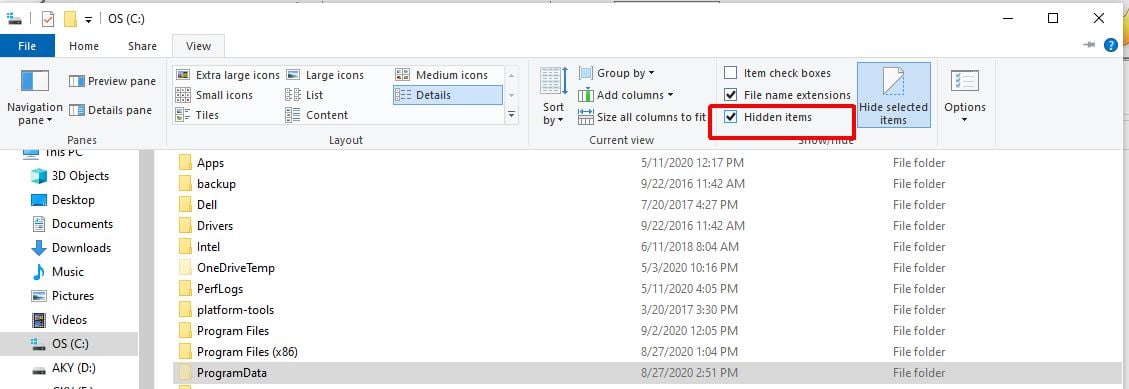
All hidden folders will now be displayed