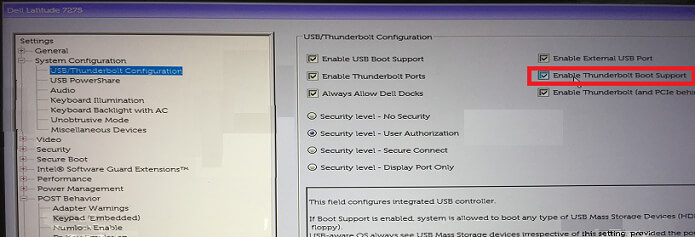

USB-C /Thunderbolt boot connections are turned off in the default settings and you have to select “Enable Thunderbolt Boot Support” in the BIOS setup.
Example – for Dell computers
- At boot, Press the F2 key (or alternately press the F12 key then select the option to enter the BIOS setup).
- In System Configuration -Select USB/Thunderbolt Configuration -Enable Thunderbolt Boot Support